

Create an asynchronous request
To create an asynchronous request, call your agent URL as shown below:Set a callback URL
Callback URLs are only supported on Mark 3 infrastructure.
blaxel.toml configuration file.
When a callback URL is set, a POST request is automatically sent to that URL when the background job completes. The POST request contains a JSON payload with the agent response. Here is an example:
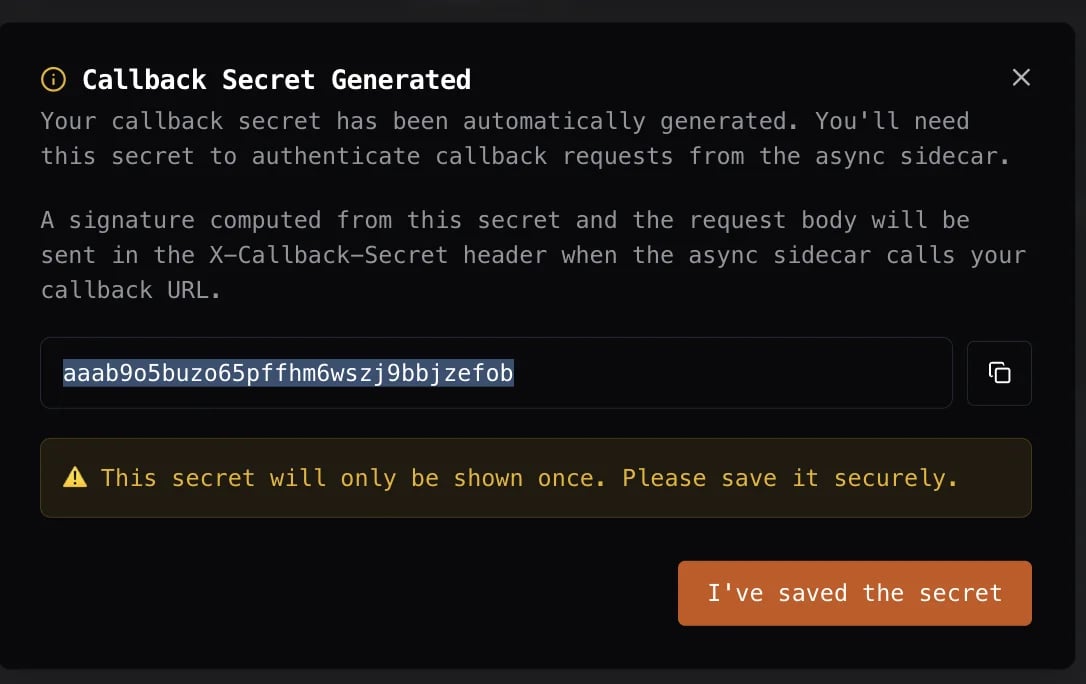
Verify a callback using its signature
If you set a callback URL, Blaxel automatically generates a callback secret and uses it to sign the request. This is included in the response payload headers:If no callback URL is set, no secret is generated.
/callback URL endpoint to validate and process signed responses from an agent running an asynchronous request:
Configure asynchronous triggers
Asynchronous triggers are configured in two ways: via the Blaxel Console or in theblaxel.toml configuration file.
Blaxel Console
In the Blaxel Console, you can configure asynchronous triggers by clicking the Triggers tab on the agent detail page. This page lets you list, add, edit, or delete triggers for your agent.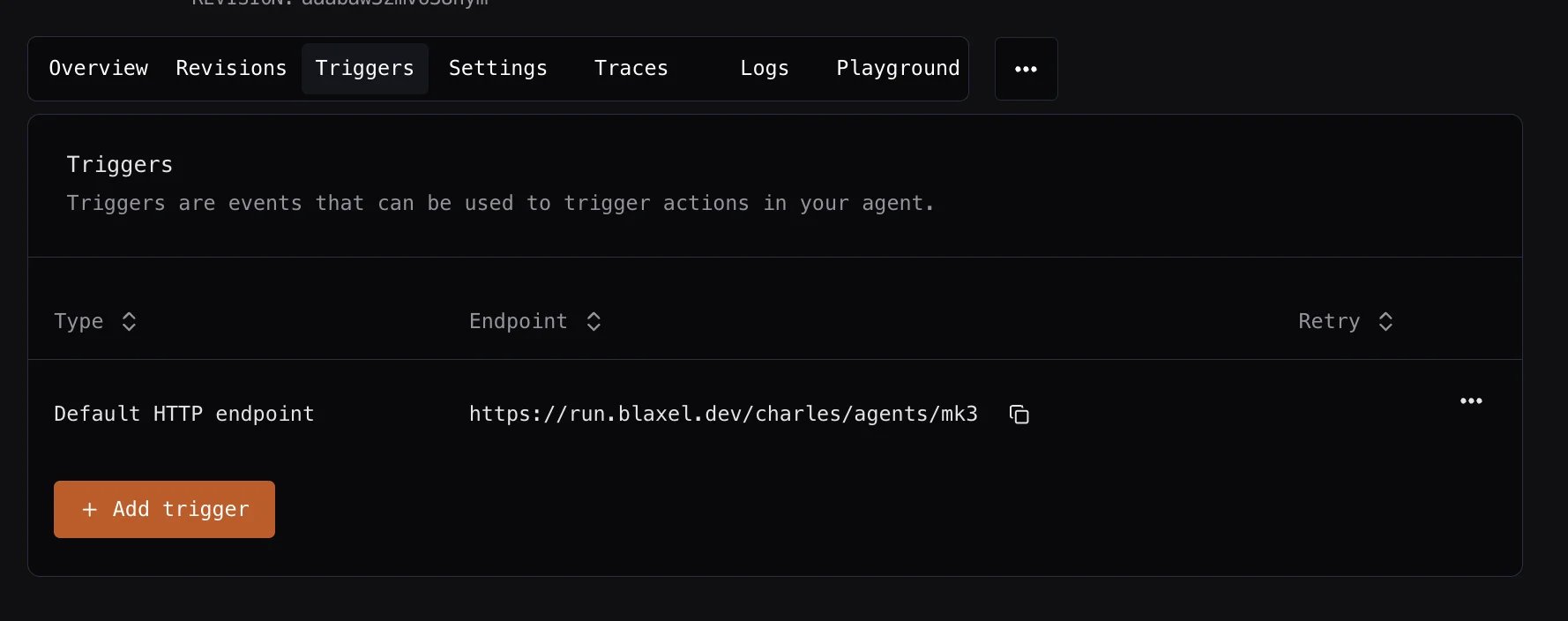
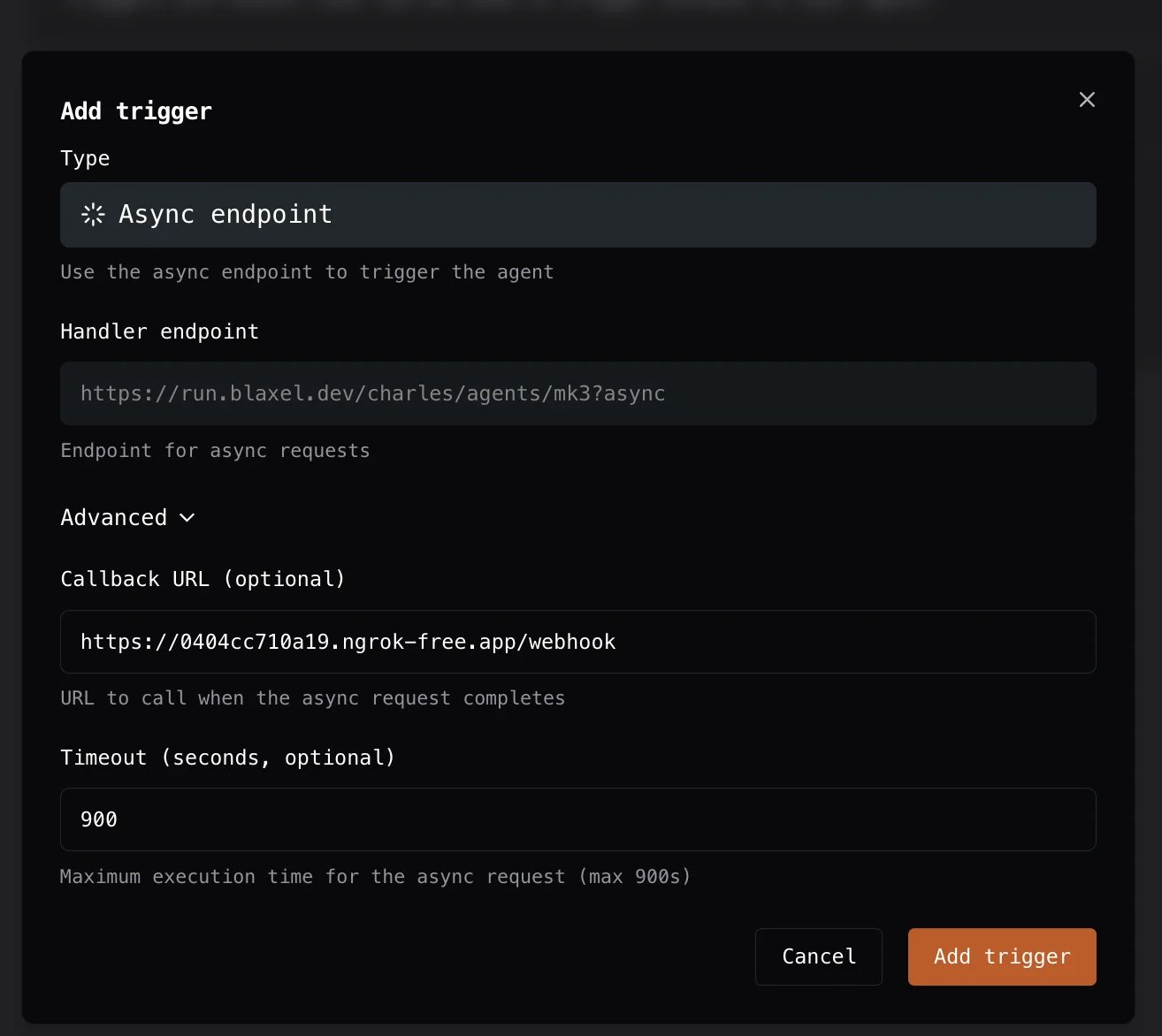
If no callback URL is set, the request will still be processed asynchronously but the callback URL will not be triggered.
Blaxel configuration file
You can configure asynchronous triggers directly in yourblaxel.toml file, as in the example below: